
O·LESA OS
Our own kernel. Your data under lock.
An operating system for x86-64 computers with its own bootloader and kernel written in C and assembly. Not Linux, not Windows, not macOS: none of their kernels, no GRUB, no libc. Built around data protection and modern Plug and Play.
- of Linux, Windows or macOS kernel code
- 0 lines
- of Linux, Windows or macOS kernel code
- encrypted OpenZFS root
- AES-256-GCM
- encrypted OpenZFS root
- boots from USB
- UEFI + BIOS
- boots from USB
- tested resolutions
- up to 3840×2160
- tested resolutions
Every boot step is our own code.
The firmware hands control to our EFI file. From there it's all ours: bootloader, kernel, drivers, unlocking the encrypted pool and the desktop.
[ 0.12] UEFI → \EFI\OLESA\OLESAX64.EFI[ 0.53] loader O·LESA OS 0.8.3 x86-64[ 0.94] kernel NX · guard pages · TSS/IST[ 1.35] pci NVMe · AHCI · Intel HDA · e1000[ 1.76] zfs unlock rpool AES-256-GCM · Argon2id[ 2.17] audio startup chime · 48 kHz stereo[ 2.58] desktop ready
A computer that protects its owner's files.
Data protection
If the disk is removed and copied, the files stay unreadable without the owner's secret. Apps should only get the files and devices they were explicitly given.
Plug and Play
Devices are identified by PCI ID and matched to a suitable driver. Unknown hardware never gets a driver by guesswork.
Our own kernel
Bootloader, installer, kernel, graphics and drivers are written from scratch. OpenZFS comes from pinned upstream sources with their licenses.
Screenshots from real system runs.
Captured by automated checks in QEMU: this is a working build, not a mockup.
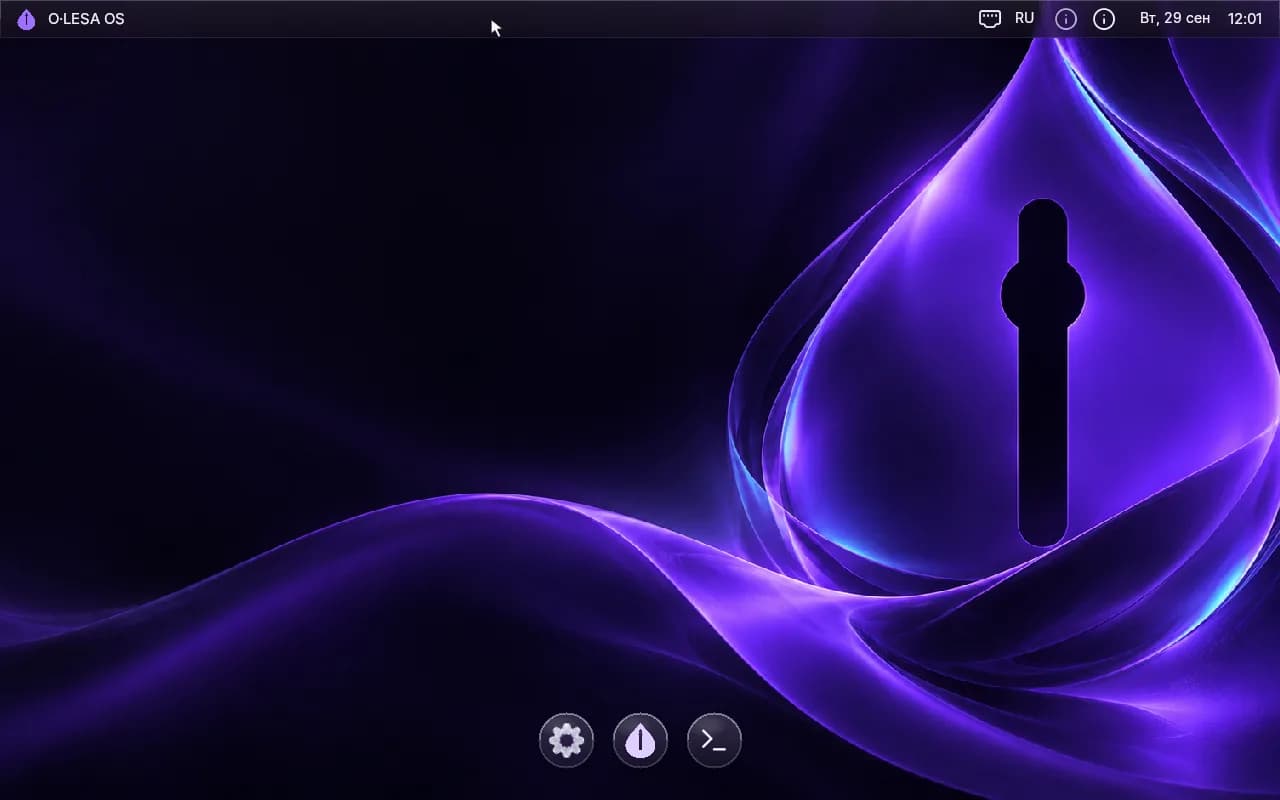
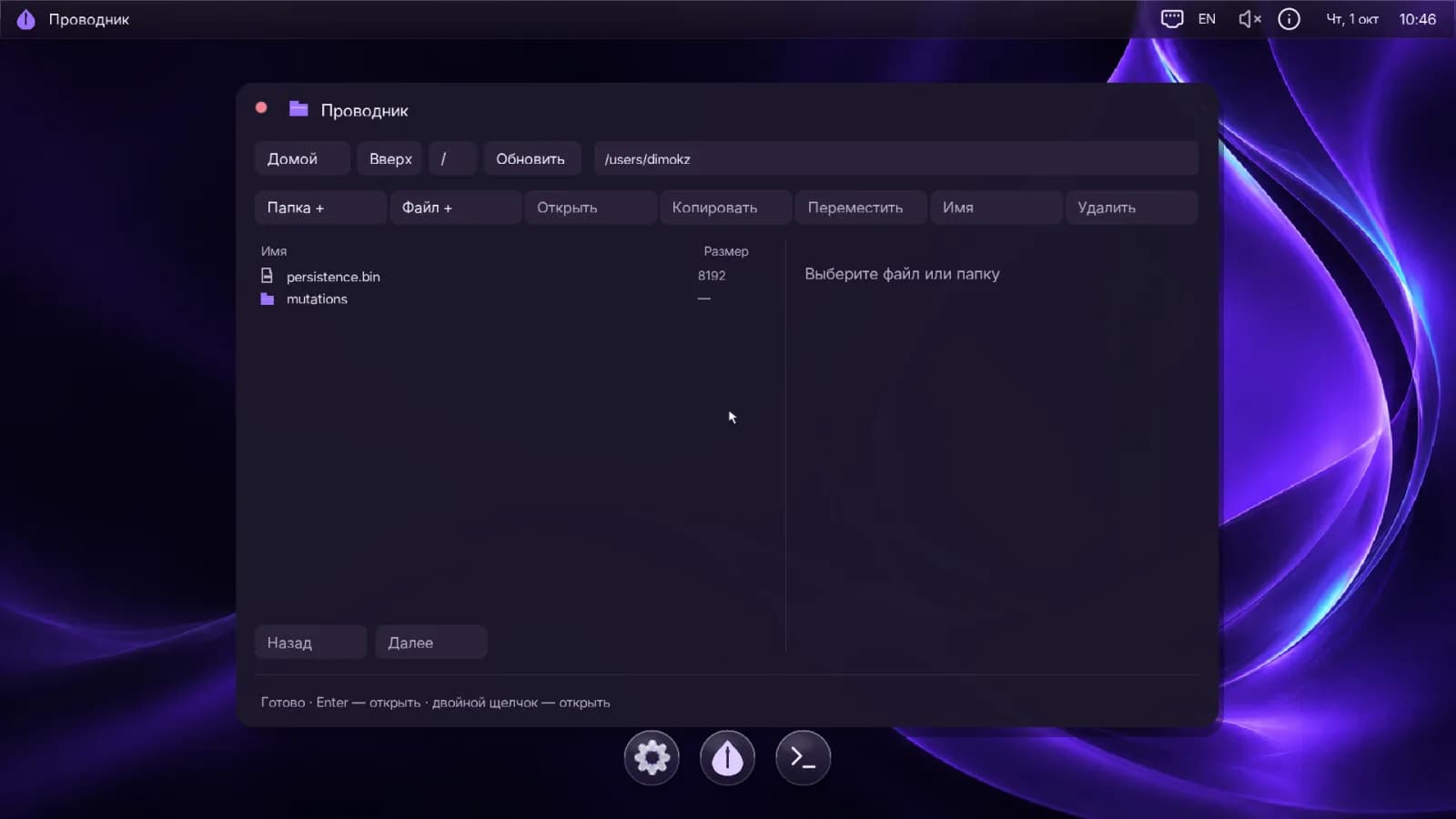
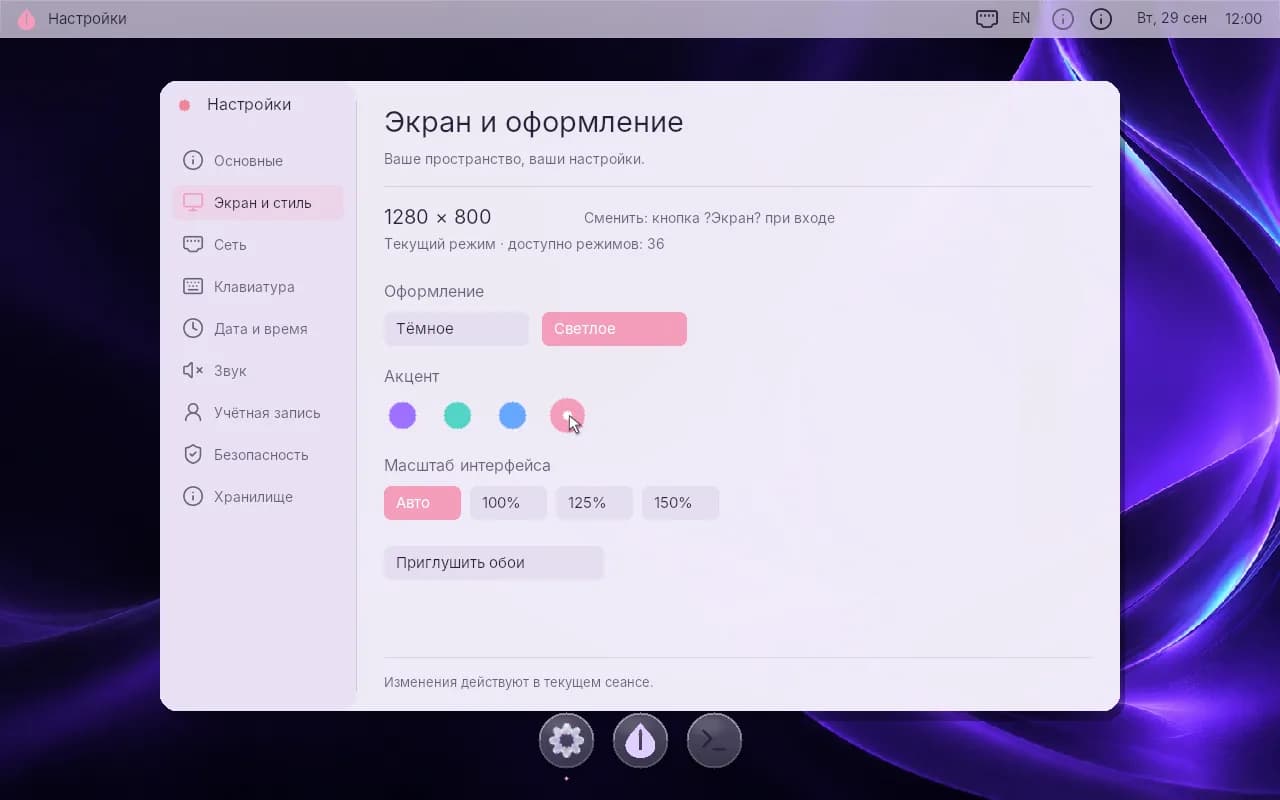
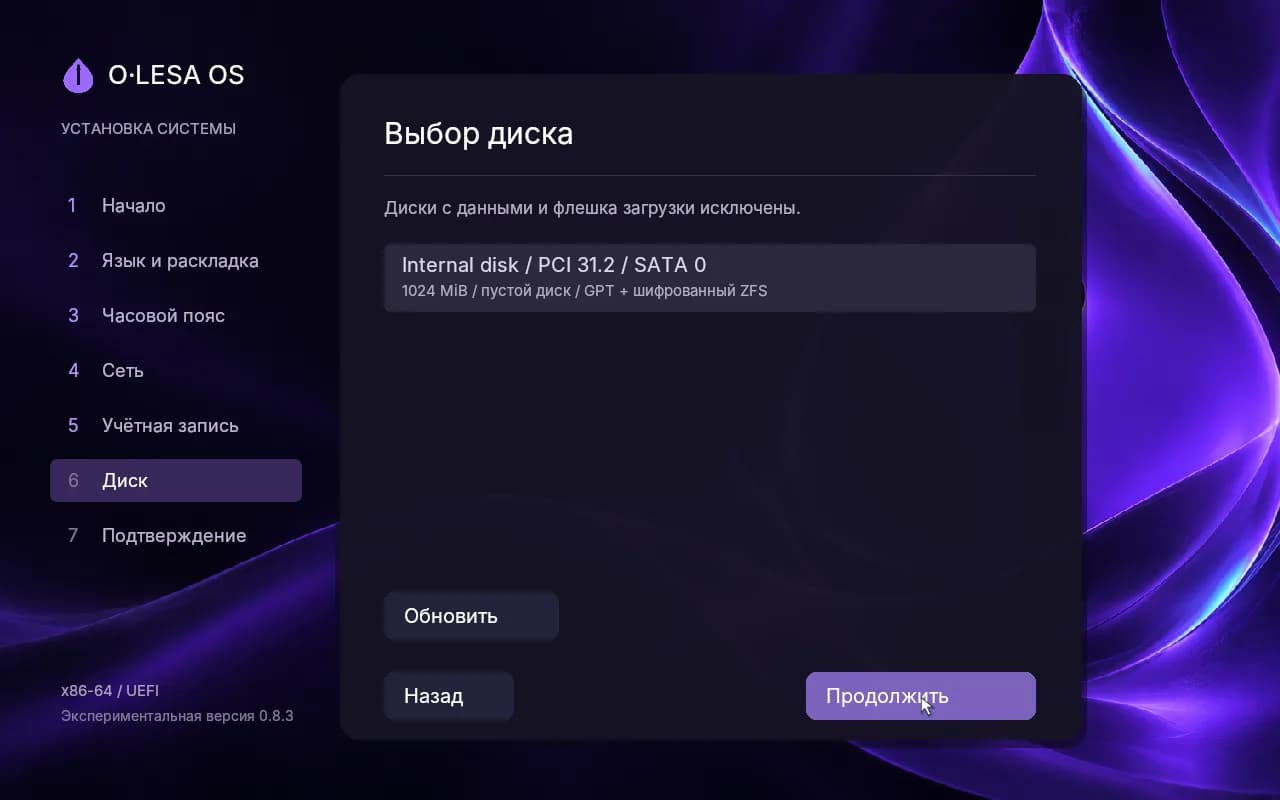
A top bar with clock, network, layout and sound, and a dock with apps.
Highlights of version 0.8.3.
Encrypted root
The system installs onto OpenZFS with AES-256-GCM. The key is derived from the password with Argon2id, using AES-NI and PCLMULQDQ.
Graphical installer
A mouse-and-keyboard wizard. Disks with data and the boot USB drive are excluded from the choice automatically.
Desktop
A top bar with clock, network, EN/RU layout and sound, a dock, an app list, Explorer, Settings and Console.
Native apps
ELF64 programs run in Ring 3 in their own address space. .olesa packages are verified, installed and removed.
Windows programs
A PE32+ loader and a minimal kernel32: an .exe runs as a separate isolated process. .wapp containers come next.
Graphics and sound
An Intel HD Audio driver with 48 kHz stereo, O·LESA system sounds, native Bochs/QEMU display output and UEFI GOP.
Network
Ethernet with DHCP and IPv4 after the kernel starts. WPA2 Wi-Fi is available in the installer when the firmware supports it.
Next to Windows
A separate EFI partition: Windows Boot Manager and NTFS stay untouched, and the boot order is preserved.
Every release is verified in virtual machines.
- v0.6
Preemptive multitasking, guard pages, native SATA and NVMe drivers.
- v0.7.2
Pool creation and import, system root installed on OpenZFS.
- v0.7.3
Graphical Explorer on top of a verified file API.
- v0.8.0
Encrypted root: AES-256-GCM and Argon2id.
- v0.8.2
Intel HD Audio, system sounds, native display control.
- v0.8.3
Legacy BIOS boot via OpenDuet for older computers.
This is a prototype, not a system for important data.
We don't promise absolute security, and every claim is backed by tests. Here is what's missing so far:
- Specific physical PCs are not yet confirmed: the main test benches are QEMU and VirtualBox.
- Secure Boot must be disabled: the build is not signed yet.
- No native USB/xHCI driver: after the kernel starts you need a PS/2 keyboard or firmware emulation.
- Single CPU, no TCP/TLS, no 3D acceleration and no native Wi-Fi.
Build the image and run it in a virtual machine.
Building requires Python 3.11+, NASM and Zig 0.13.0. Write the .img or hybrid .iso to a USB drive byte for byte, or attach it to VirtualBox with EFI enabled.
Requirements
- x86-64 with NX support
- UEFI x64 or Legacy BIOS (.img image)
- 256 MiB of RAM or more
- 32-bit framebuffer
# build$ make tools$ make# run in QEMU$ make run# automated checks$ make test
Want to follow the project or test it on your hardware?
Get in touch: tell us your computer model and we'll suggest where to start.
Contact us